
Using the steps below, you can request audits for multiple GTINs at the same time by also uploading the corresponding images/artworks.
Getting started
1. In the "My Audits" tab, filter by the status "New". Only audits with this status can be requested in bulk.
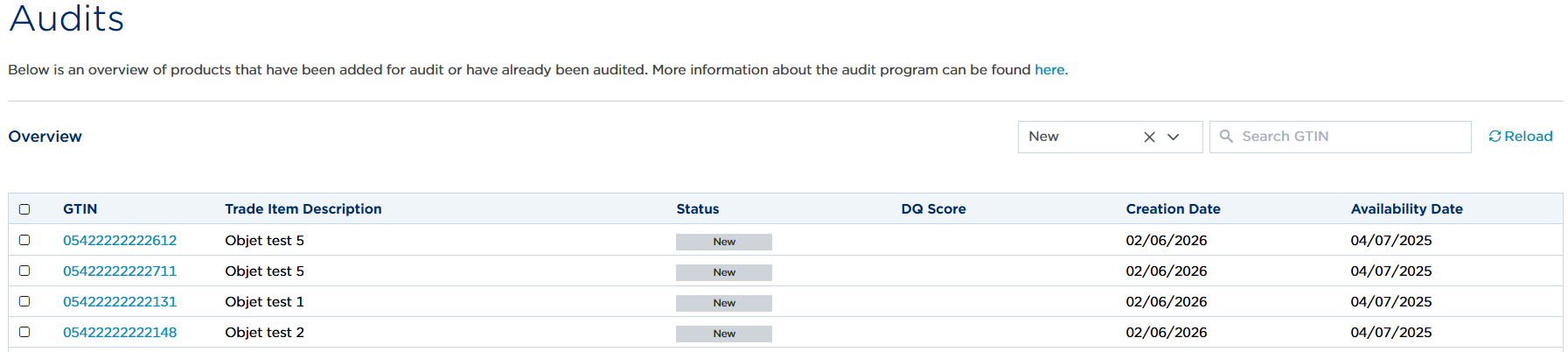
2. Select one or more audits.
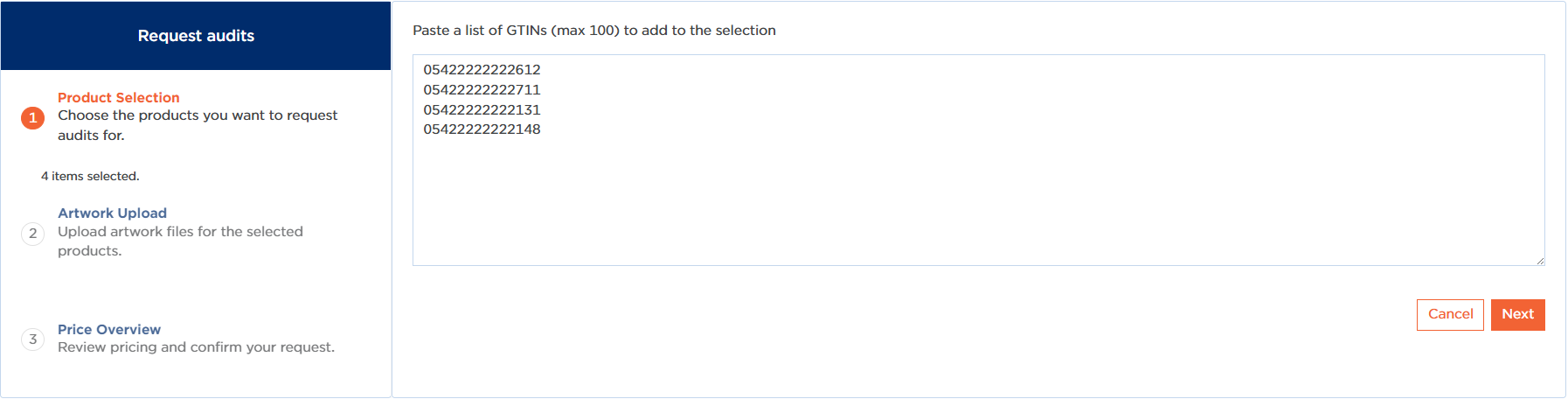
3. Click "Request audits". The selected GTINs will appear on the "My Actions" page.

4. You can further complete the list if required. Please note: only relevant GTINs (with the status "New") will generate an action.
5. Click "Next".
6. Select or drag and drop artworks and/or images for the desired audits.
Important: the files must follow the following naming convention:
- "GTIN.filetype",
- "GTIN_X.filetype",
- "GTIN.X.filetype".
Examples:
- GTINA.jpg
- GTINB_01.pdf + GTINB_02.jpg + …
- GTINC.01.png + GTINC.02.tiff + …
For your information: a maximum of 10 files can be uploaded per GTIN, with a maximum file size of 100 MB per file.
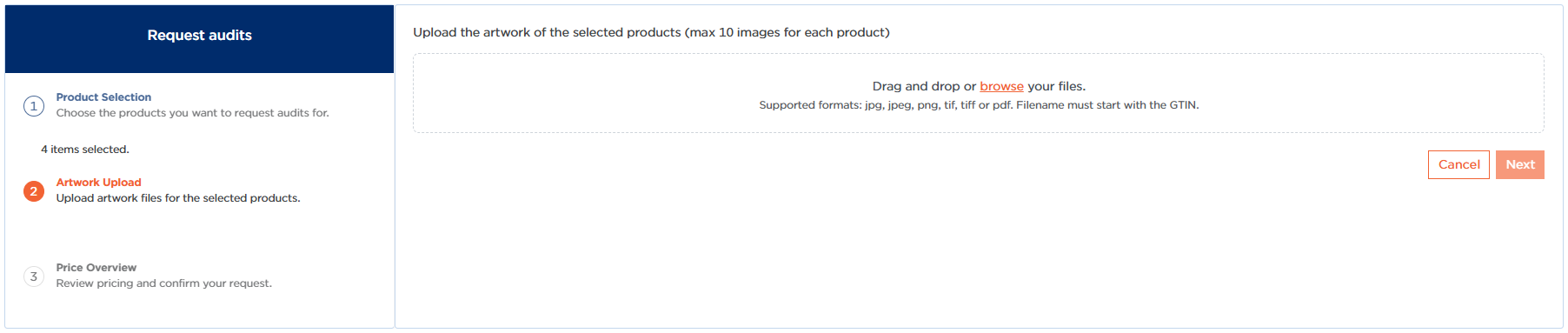
7. Wait until all files have been uploaded. Once the "Next" button becomes available, click it.
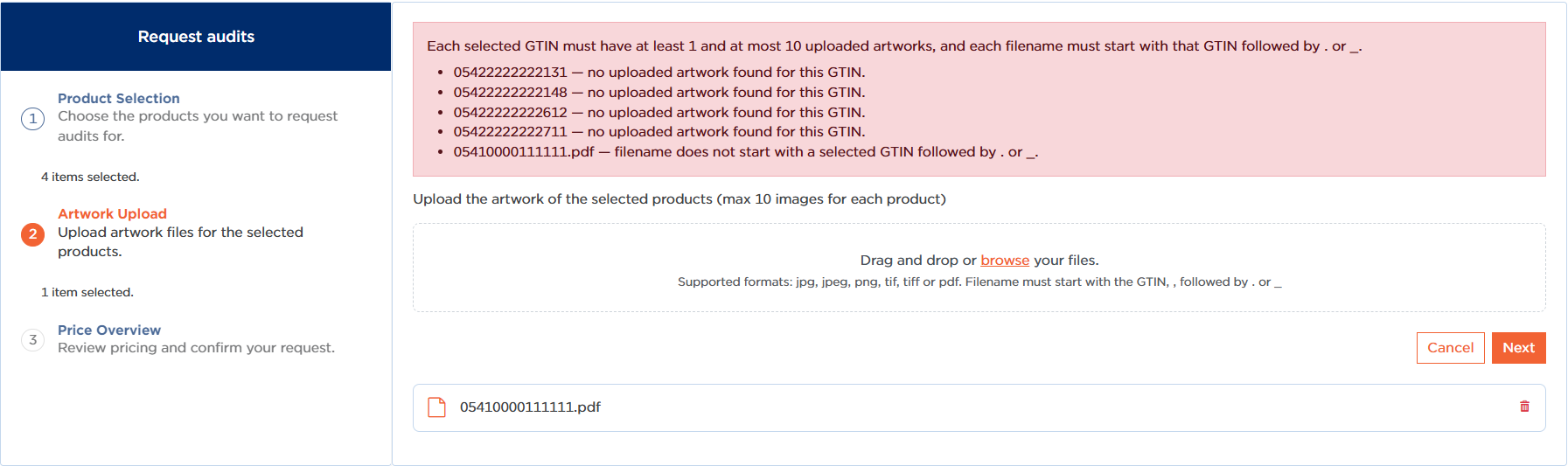
8. Any errors in the files or GTIN associations will now be displayed. Resolve these before proceeding.
9. If everything is in order, you will receive a cost estimate for the audit request:
- The first audit per GTIN is free of charge. The amount shown will be €0.
- From the second (and subsequent) audit per GTIN, a fee will be charged. The number multiplied by the price is stated.
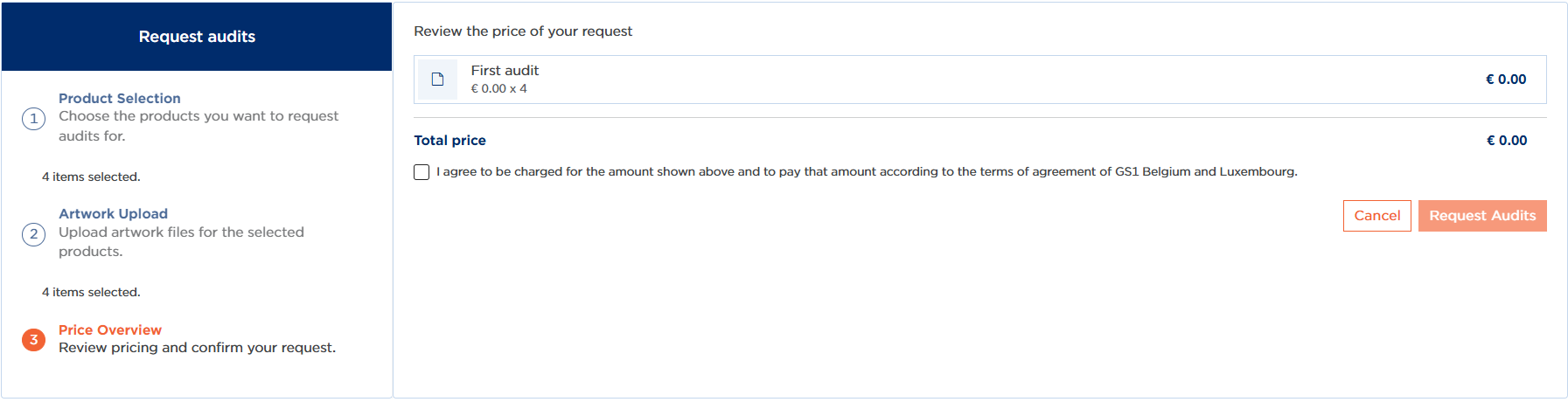
10. Check the checkbox to accept the costs. The "Request audits" button will only become available after this confirmation.
11. After submission, you will return to "My Actions", where the bulk action will be started. Refresh the page after a few seconds to view the confirmation. Via the three dots on the right-hand side of the action, you can also download the audit feedback report.
12. Result: in the "My Audits" overview, the audits will now show the status "Requested", ready to be reviewed by the specialists.

Important regarding re-audit requests (and/or a combination of audits and re-audits in the same submission): for re-audits, it is neither necessary nor permitted to upload images/artworks. We work with the documents that were submitted with the initial request. If there is a new version of the artwork/images, please contact our helpdesk specifically via support@gs1belu.org.