
Where a pallet never has a fixed composition, you do not need to assign a GTIN to the pallet.
- If GTIN required: Create a new information sheet.
- No GTIN required: Enter the non-GTIN pallet information in the sheet of the highest underlying level (outer box, display).
Enter the pallet data at the highest hierarchy level. For example, the outer boxes or the displays to be placed onto the pallet.
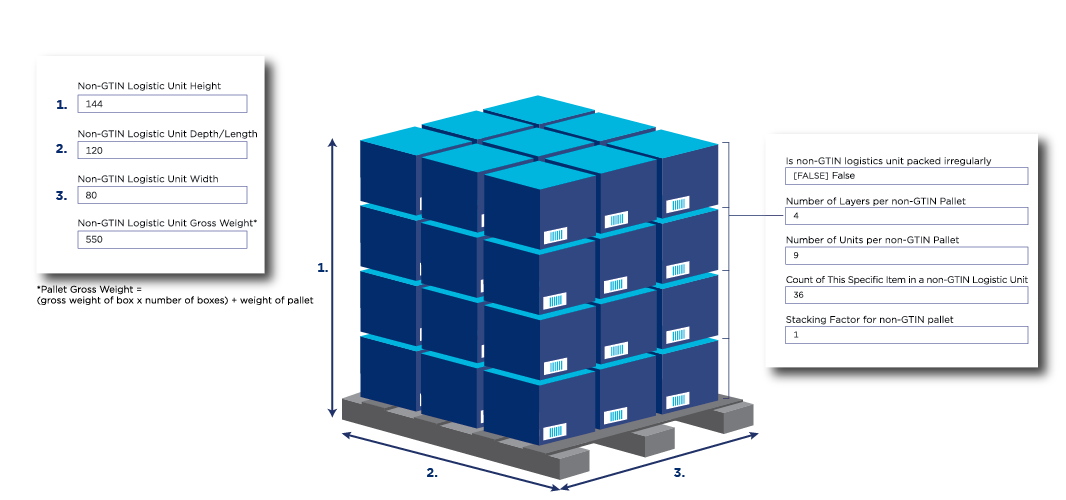
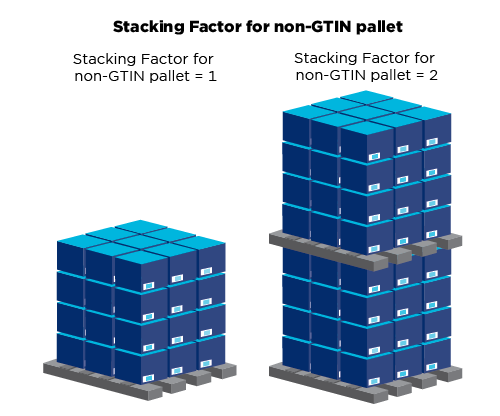
| Field | Explanation |
|---|---|
| Pallet type code | Standard pallet measuring 80x120cm? Use code 11. Other pallets, check the list in the interface. |
| Non-GTIN logistic unit height | Do not forget to also add the pallet height by yourself. |
| Non-GTIN logistic unit depth/length | Expressed in centimeters |
| Non-GTIN logistic unit width | Expressed in centimeters |
| Non-GTIN logistic gross weight | Please note: Do not forget to also add the pallet weight by yourself. |
| Is non-GTIN logistics unit packed irregularly | Are all layers of the pallet identical? If so, select ‘False’. Does the number of items per layer vary? If so, select ‘True’. |
| Quantity of layers per non-GTIN pallet | Enter the number of layers with outer boxes stacked onto the pallet in the product information sheet of the outer box. |
| Quantity of trade items per non-GTIN pallet | Enter the number of outer boxes stacked onto the pallet in the outer box information sheet. The same applies when you are entering this field in an information sheet of the basic unit, the intermediate packaging or a display, it is the number of these units that must be specified. |
| Non-GTIN pallet stacking factor | This field shows the number of pallets that can be stacked on top of each other. 1 = not stackable 2 = maximum 2 pallets on top of each other 3 = maximum 3 pallets on top of each other |
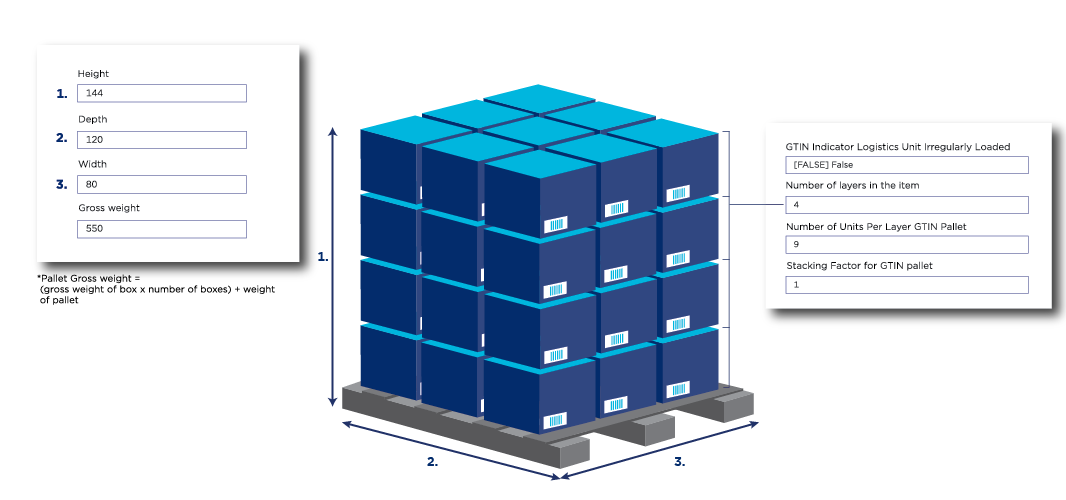
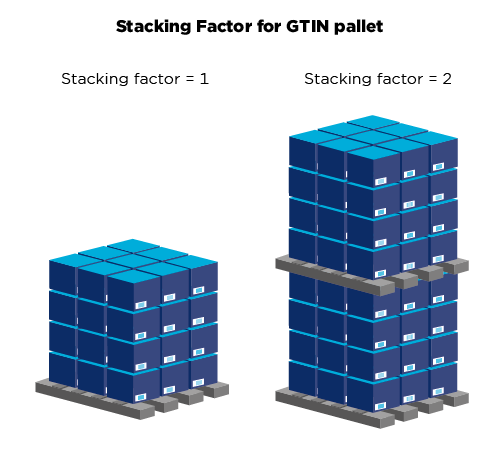
| Field | Explanation |
|---|---|
| Gross weight | Please note: Do not forget to also add the pallet weight by yourself. |
| Packaging type code | Code PX stands for Pallet |
| Pallet type code | Standard pallet measuring 80x120cm? Use code 11. Different pallet? Check the list in the interface. |
| Pallet irregularly stacked indicator | Are all layers of the pallet identical? If so, select ‘False’. Does the number of items per layer vary? If so, select ‘True’. |
| Number of Layers per GTIN | Here you enter the number of layers of the underlying unit stacked onto the pallet. |
| Number of units per layer in a GTIN | Here you enter the number of units per layer of the underlying unit. If your pallet is unevenly stacked, enter the highest number of units on one layer. |